From the Tree Control, scroll down to the Construction folder and double-click Environment.
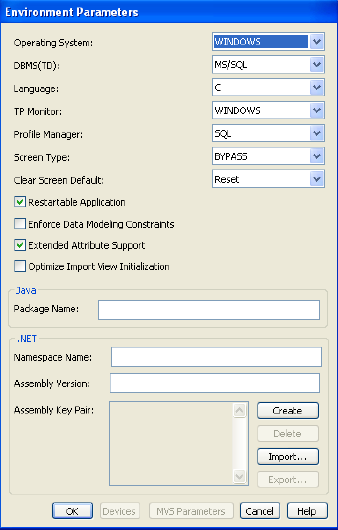
In the Environment diagram, double-click the EGOLF SERVICES Business System. Verify your Environment Parameters are as indicated below or that the DBMS(TD) points to your specific database. If not, change them and select the OK push button.