

The Error Log view captures internal errors that are caused by the operating system or the Diagram Trace Utility. The following illustration shows a sample Error Log view:
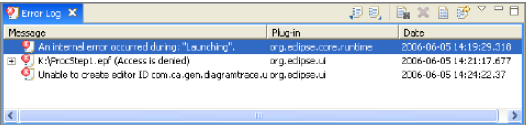
The Error Log view displays the following information for each error:
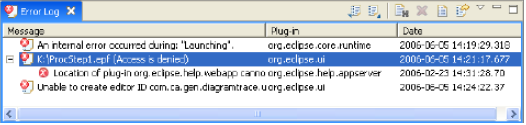
Note: If a plus sign (+) precedes an error, the error is a complex problem. This indicates that a number of errors contribute to the problem. You can double-click the error to expand and view the list of errors as shown in the following example:
|
Copyright © 2013 CA.
All rights reserved.
|
|