

Annotation preference settings affect the appearance and location in which different annotations such as bookmarks and breakpoints are displayed in PAD Code View editors.
Follow these steps:
The Preferences dialog appears.
The Annotations Preferences dialog appears.
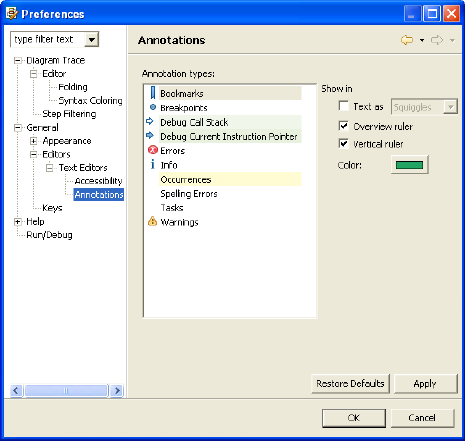
Displays the default setting for the annotation selected.
Note: The Diagram Trace Utility does not support the Annotation types Spelling Errors or Tasks.
Specifies the location in which the annotation appears (in text with selected attributes, in the Overview ruler, or in the Vertical ruler) in the PAD Code View editor.
Lets you specify a basic or custom color for the selected annotation from the Color selection dialog.
The Diagram Trace Utility saves the new settings and closes the dialog.
|
Copyright © 2013 CA.
All rights reserved.
|
|