

You can modify the folding behavior seen in the PAD Code View editor. Folding collapses the tree structure of specified elements in the PAD Code View editor. Unfolding expands the tree structure.
Follow these steps:
The Preferences dialog appears.
The Folding Preferences page appears.
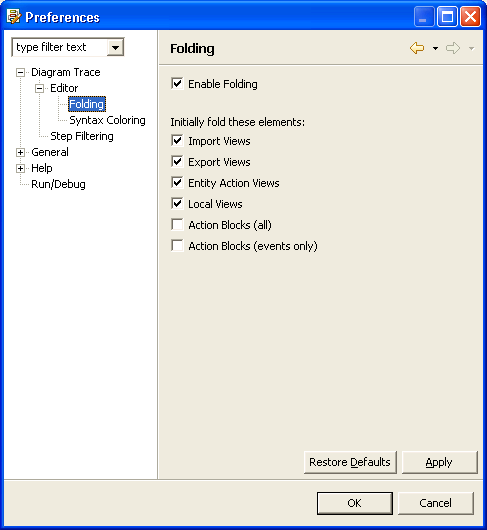
Enables folding in the PAD Code View editor.
Default: On
Specifies the elements for initial folding.
Following elements are available:
Note: Initial folding does not affect PAD Code View editors that are currently open.
The system saves the changes and closes the Preferences dialog.
|
Copyright © 2013 CA.
All rights reserved.
|
|