

Troubleshooting › Review Contents of the Error Log View › View the Detail Log for a Selected Error in Notepad
View the Detail Log for a Selected Error in Notepad
You can display details for any selected error in the Error Log view in Notepad.
Follow these steps:
- Select an error in the Error Log view to review and click the Open Log icon on the Error Log view toolbar (or select the Open Log option from the right-click pop-up menu).
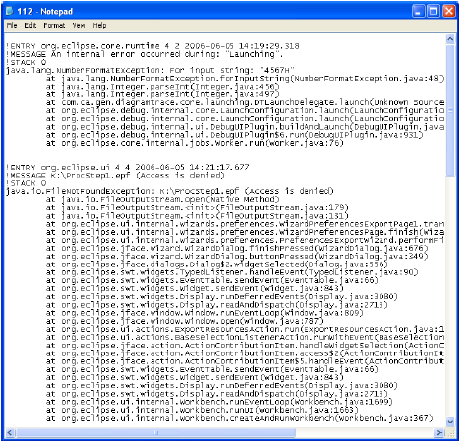
A Notepad opens and displays the details for the selected error.
Example: The following illustration shows the error description for a sample error:
- Select Exit from the File menu after you finish reviewing the details log.
The Notepad closes.
Copyright © 2013 CA.
All rights reserved.
|
|