

When you select Web Gen Client from the EAR File Assemble Details panel, the following dialog appears:
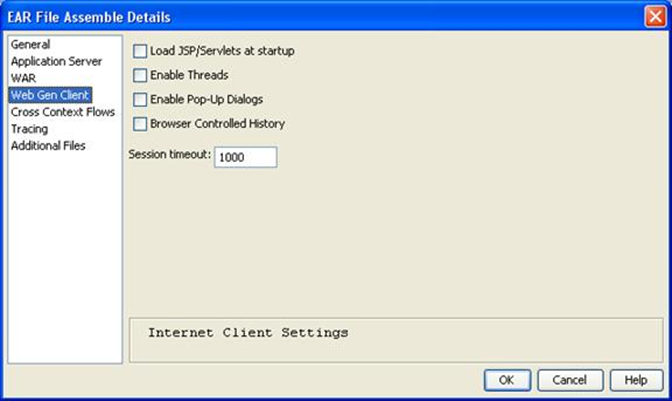
The fields in the WAR dialog are as follows:
Improves the performance of the initial load of the JSP and servlets by having them precompiled and loaded by the application server when the application is loaded. This option is cleared during development and selected for production work.
If selected, the Java Web Client Runtime uses threads to perform certain functions such as displaying MessageBoxes or accessing ActiveX controls. However, some Application Servers do not work correctly if threads are used.
If selected, dialog support is enabled. Otherwise, all windows are embedded in the browser.
If selected, you can use the Back and Forward buttons of your browser for navigation. The default style only allows access to one page at a time. Although the Back and Forward buttons remain enabled, using them takes you out of the application. This option is not valid for Cross-Context Flows applications.
Specifies the number of minutes a session can be idle before it is abandoned. The default is 30. The Timeout range is from 1 through 1440 minutes.
|
Copyright © 2015 CA Technologies.
All rights reserved.
|
|