

Perform the following steps to create a metric connector for CA Capacity Command Center.
Follow these steps:
The Metric Connectors page opens.
The CA Capacity Command Center Connector page opens.
A new CA Capacity Command Center metric connector is created and the connector metrics form is displayed.
CA Executive Insight uses CA Infrastructure Management data to create business indicators. CA Executive Insight polls for the CA Infrastructure Management metrics at predefined intervals. The metrics are stored in the CA Executive Insight database as business indicators, and made available to be displayed on mobile devices.
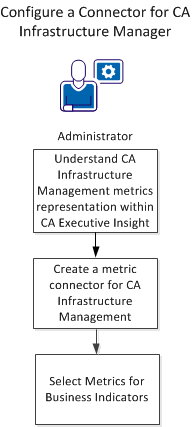
To integrate CA Executive Insight with CA Infrastructure Management, follow these steps:
CA Executive Insight uses only CA Infrastructure Management group-level metrics belonging to the custom user-created CA Infrastructure Management groups. You can limit the number of CA Infrastructure Management groups available to CA Executive Insight by creating an EI Root Group in CA Infrastructure Management. You create this group as a parent of all groups or group hierarchies to be used in CA Executive Insight. The default name for the EI Root Group name is 'EI-Root,' but any valid CA Infrastructure Management group name can be used.
The following group metrics are predefined to be selected and presented as CA Executive Insight business indicators:
CA Executive Insight polls and aggregates CA Infrastructure Management metric data periodically. Newly created business indicators are polled and aggregated within 2 minutes from the moment that they are created, and then at their regularly scheduled times. Average availability, Average response time, CPU utilization, and Memory utilization metrics are polled every 5 minutes for a 5-minute data granularity. The Port average utilization metric is polled every 15 minutes for a 15-minute data granularity. The collected data is aggregated hourly and daily.
To create a metric connector for CA Infrastructure Management, perform the following steps.
Follow these steps:
The Metric Connectors page opens.
The New CA Infrastructure Management Connector page opens.
The CA Infrastructure Management Group Server port number.
The CA Infrastructure Management Report Information Base port number
Note: The default name is EI-Root. If the EI-Root group is not available, any valid CA Infrastructure Management custom group name or ID can be entered.
A new CA Infrastructure Management metric connector is created and the connector metrics form is displayed.
|
Copyright © 2014 CA.
All rights reserved.
|
|