

CA Executive Insight enables IT to quickly and easily provide real-time access to high-value metrics that measure the pulse of business. Designed specifically for the mobile platform and with the active user in mind, CA Executive Insight connects executives and decision-makers to real-time views of how the health and performance of key IT services impact business outcome.
CA Capacity Command Center is a comprehensive suite of capabilities that lets you maximize your efficient use of data centers so that you can ensure performance and availability of their business services. The product simplifies the ongoing process of managing the capacity of your infrastructure.
Note: If you have upgraded from a previous version of CA Executive Insight, upgrade to CA Capacity Command Center 2.3.0 or higher to support the connector configuration.
The following illustration describes how an administrator integrates CA Executive Insight and CA Capacity Command Center.
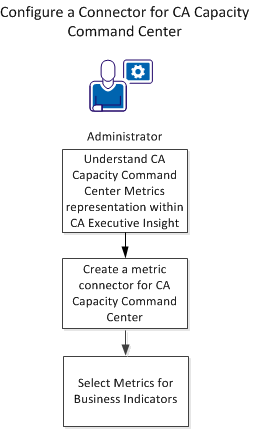
Follow these steps to integrate CA Executive Insight with CA Capacity Command Center:
|
Copyright © 2014 CA.
All rights reserved.
|
|