

Using the Monitor Interface › What the Monitor Interface Looks Like
What the Monitor Interface Looks Like
When using this interface, you will see the following set of windows on your screen, as shown in the following figure:
- Console log display area - where the most recent log data for the system specified in the command line is placed. On a VT200-compatible terminal screen, the console log display area contains 19 lines for the data. This area expands or shrinks to fit the available lines on other types of terminals.
- Banner line - where the name of the system, the date of the console data and the status of the connection to the serviced system are displayed in bold reverse video.
- The event/message area - where the event summary for this system and any other specified systems is displayed as an event occurs. This area occupies the two lines reserved above the command line. Upon receipt of the first event the area expands to five lines.
- The command line - where you enter the monitor interface commands described in the section, Monitor Interface Commands.
The following figure shows what the monitor interface looks like using a workstation window.
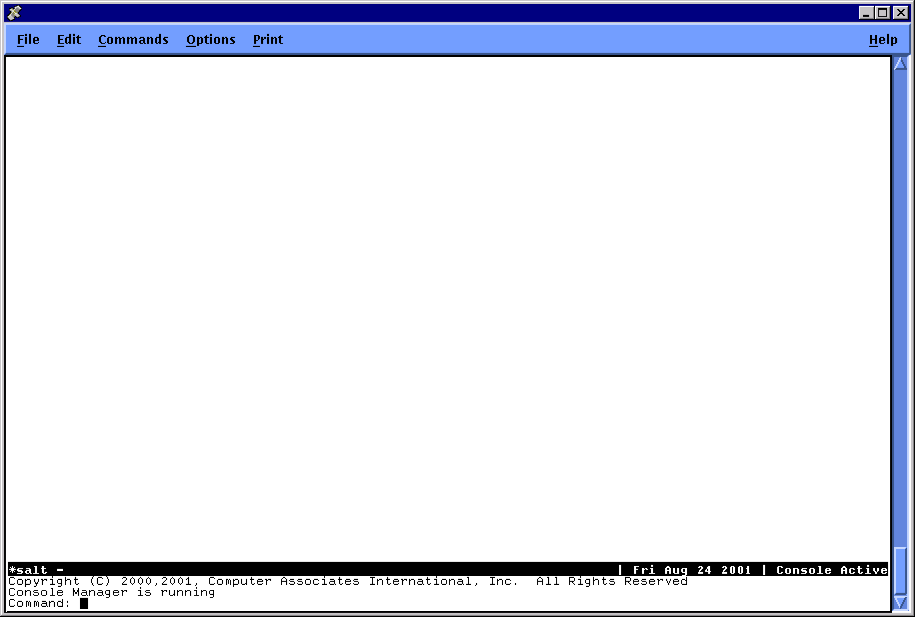
The default screen layout is one log window. The default system displayed is either the first system specified on the command line which invoked the monitor interface, or if no system is specified, the first one you have access to in the configuration database. See Manipulating Screen Layout for more information about manipulating the screen layout.
Copyright © 2010 CA.
All rights reserved.
|
|