

Modifying the Configuration Database › Using the DECwindows Motif Interface to the Configuration Editor › What the Configuration Editor Window Looks Like
What the Configuration Editor Window Looks Like
When you start the configuration editor, the configuration editor main window is displayed as shown in the following figure.
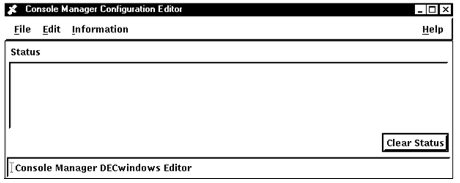
There are four menus in this window:
- File - used to export, import and save files, verify the configuration database, and leave the configuration editor.
- Edit - used to create, modify, and delete information in the database.
- Information - used to get information about classes and subsystems set up in your environment.
- Help - used to get help on using the editor.
Copyright © 2010 CA.
All rights reserved.
|
|