Maintenance and Administration › User Access › Add a User
Add a User
To add a user to the list of CA Compress authorized users
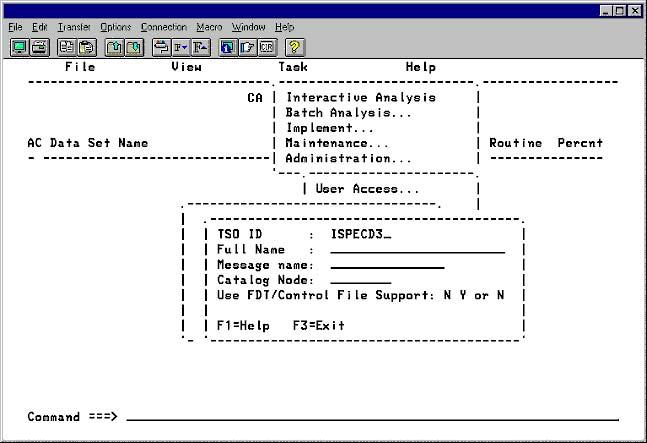
- On the Administration menu, select User Access.
- Type the TSO ID to be added.
- Select Add a New User and press Enter.
- Type the following information.
- Name of the new user (last, first, initial) in the Full Name field.
- Name the user prefers to be called in the Message name field.
- Optional—Name of the Catalog to be used in the Catalog Node field.
- Y or N in the Use FDT/Control File Support field.
- Press Enter to record the changes.
|
Copyright © 2012 CA.
All rights reserved.
|
|

