Compression Analysis and Implementation › Analysis › Activating Implementation
Activating Implementation
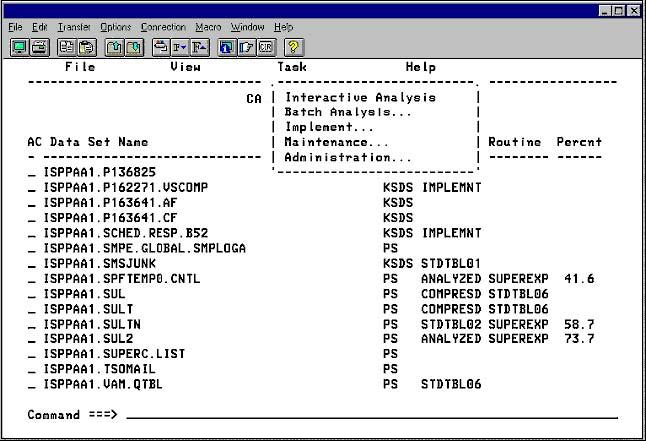
- Select Task to display the menu.
- Select Implement to begin the implementation process.
- If the System Defaults Scheduling Option is specified as Scheduled,
CA Compress implements compression for the data sets selected.
- If the System Defaults Scheduling Option is specified as Choice,
CA Compress displays the Implement Mode Selection panel as shown and described in the topic Selecting the Implementation Mode—VSAM in this chapter.
If any of the custom algorithms (HUFFMAN, SHRVL, or TAILORED) was selected for any of the data set names, the FDT Name panel displays as shown in the following panel:
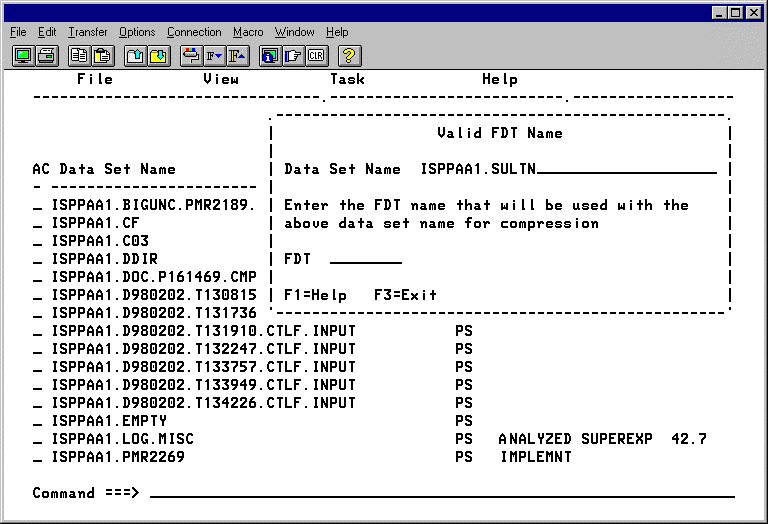
Enter the FDT Name and press Enter to continue.
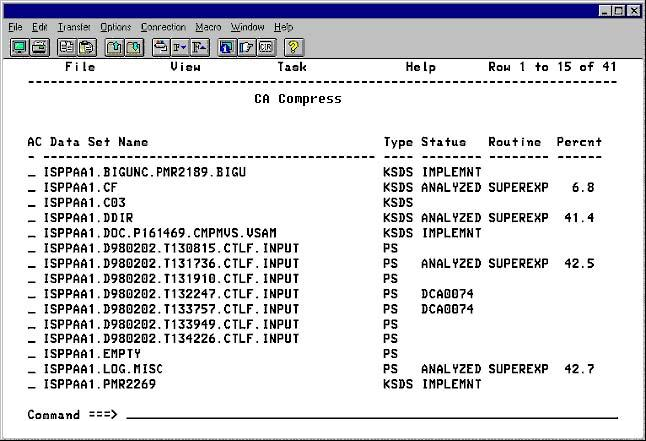
The following panel shows the work list after compression has been implemented for the data set names selected. Notice that the Status field has changed to Implemented.
|
Copyright © 2012 CA.
All rights reserved.
|
|

