

|
|
|
Once a work list has been created one or more of the data sets in the list can be selected for compression implementation.
From the Work List panel, use any of the following Implementation line commands to implement compression on one or more data sets.
|
Code |
Meaning |
Function |
|---|---|---|
|
1 |
Standard Table 1 |
Selects Standard Table 1 for compression implementation. |
|
2 |
Standard Table 2 |
Selects Standard Table 2 for compression implementation. |
|
3 |
Standard Table 3 |
Selects Standard Table 3 for compression implementation. |
|
4 |
Standard Table 4 |
Selects Standard Table 4 for compression implementation. |
|
5 |
Standard Table 5 |
Selects Standard Table 5 for compression implementation. |
|
6 |
Standard Table 6 |
Selects Standard Table 6 for compression implementation. |
|
S |
Super Express |
Selects Super Express for compression implementation. |
|
H |
Huffman |
Selects Huffman for compression implementation. |
|
V |
SHRVL |
Selects SHRVL for compression implementation. |
|
T |
Tailored RDL |
Selects Tailored RDL for compression implementation. |
|
Z |
Hardware Compression |
|
|
F |
FDT for a Pattern |
Displays the FDT Name panel to enter the FDT to use with a pattern name. |
|
U |
Unselect |
Removes a Select line command and changes the status field to blank or Analyzed. |
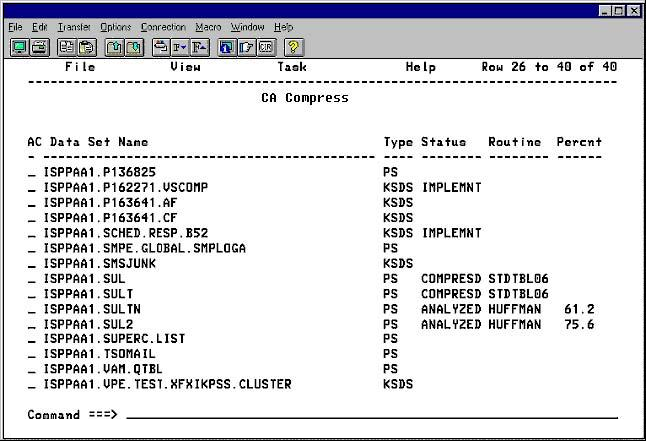
The following panel shows the Work List with Implementation line commands typed next to data sets selected for implementation.
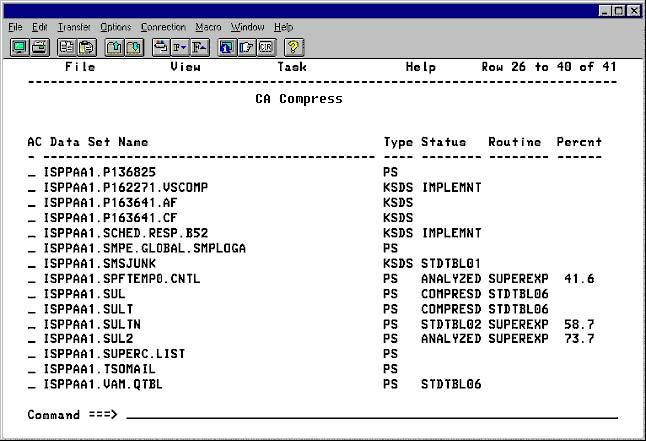
Press Enter to lock your selection (indicated by the change to the Status field of the selected data sets). The Status field changes to the name of the selected routine. The following panel shows the Work List panel after the routines have been selected and locked.
| Copyright © 2012 CA. All rights reserved. |
|