

Test the connectivity between CA Service Catalog and CA Process Automation.
Note: If your initial connectivity test fails, restart the CA Process Automation services and run the test again.
Follow these steps:
The Configuration page opens with the list of Options.
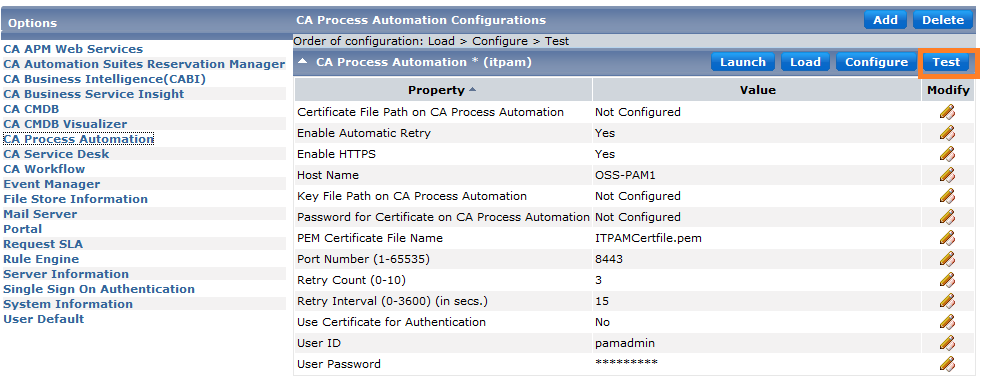
The connection status is displayed.
You have tested the CA Service Catalog and CA Process Automation connectivity successfully.
|
Copyright © 2014 CA.
All rights reserved.
|
|