

Monitoring Services Deployment › Verify Deployment › Verify CA Nimsoft Server Cluster
Verify CA Nimsoft Server Cluster
To verify the deployment, log in to one of the Nimsoft Cluster nodes in virtual machines NMS1 or NMS2. Ensure that the CA Nimsoft Server Cluster is deployed on the virtual machine.
Follow these steps:
- Log in to the virtual machine with domain administrator credentials.
- Click Start, Administrative Tools, and then click Failover Cluster Manager.
- Verify that the status of the cluster name, drive, and Nimsoft Robot Watcher Service is Online.
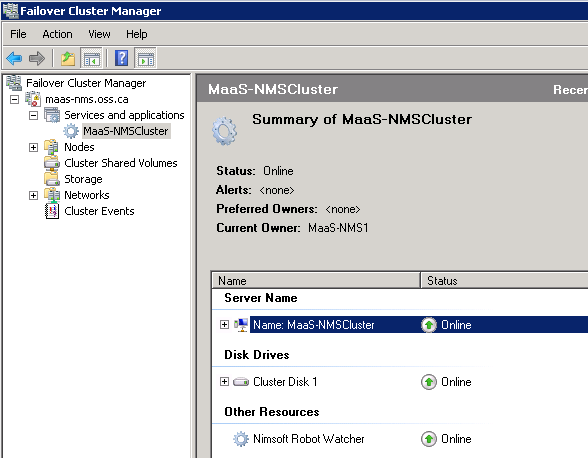
You have verified that the CA Nimsoft Server Cluster is deployed successfully.
Copyright © 2014 CA Technologies.
All rights reserved.
|
|