

You can specify the order in which input fields of an installation dialog should be processed during the installation of the PIF package. When this installation dialog is called during a later installation of the PIF package, the input fields in this dialog are processed in the specified order.
The input order is specified by using the Input order check box in the toolbar of the installation dialog editor or directly in the @Dialog section in the prototype file. The #inputorder dialog property stores an ordered list of (input) dialog elements.
To specify the input order of a dialog
The selected dialog appears in the right pane.
Blue boxes appear for the input fields in the dialog creation area, as shown in the following illustration:
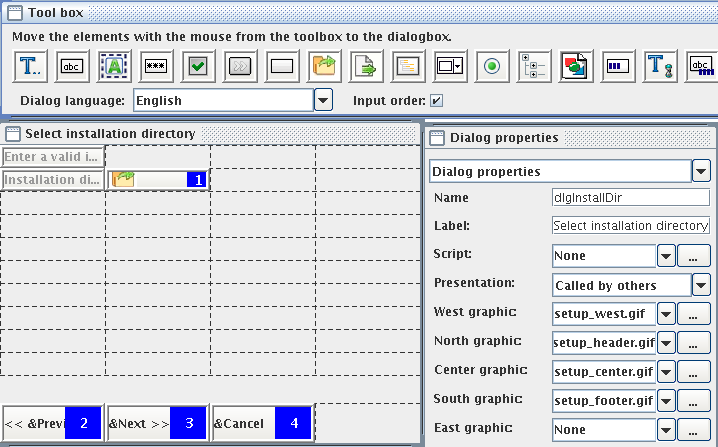
When this installation dialog is called during a later installation of the PIF package, the input fields in this dialog are processed in the specified order.
|
Copyright © 2014 CA Technologies.
All rights reserved.
|
|