

As an administrator, your responsibilities include managing the health of Client Automation components. The Health Monitoring (HM) feature provides a health inspection mechanism to:
Use the HM feature to improve the Client Automation availability and resiliency. The following Illustration summarizes the HM process:
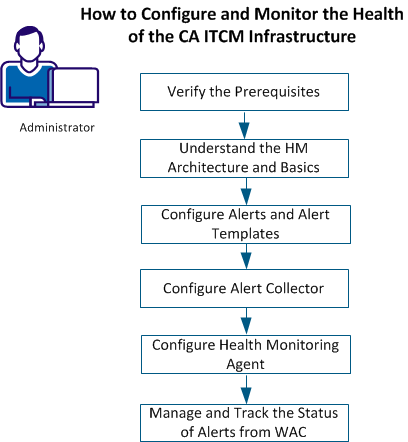
You can accomplish the following tasks:
Configure the available alerts or define new alerts.
Configure alert actions such as sending emails, raising SNMP traps, writing to the system, and writing to the CCS event log.
View, track, follow up, and clear alerts from WAC.
This section contains the following topics:
Understand HM Architecture and Basics
Configure Alerts and Alert Templates
Configure Health Monitoring Agent
Manage and Track the Status of Alerts from WAC
|
Copyright © 2014 CA Technologies.
All rights reserved.
|
|