

|
|
|
The integration of Tasktop Dev for CA Clarity Agile and CA Clarity Requirements with the Eclipse IDE makes it easy for development teams to stay informed of changing project priorities. The integrated environment provides visibility into development progress from within CA Clarity Agile and CA Clarity Requirements.
As a team member, you can use the Tasktop Dev for CA Clarity Agile and CA Clarity Requirements integrated Eclipse IDE to update and view the project details, and continue with your software development tasks.
For example, Alice, who is the software developer working on the Parking Pass Management System, uses the Eclipse IDE to write software code. She can use the Tasktop Dev for CA Clarity Agile and CA Clarity Requirements integrated Eclipse IDE to update the project progress as she works on the user stories.
The following diagram describes how the team can use Tasktop Dev for CA Clarity Agile and CA Clarity Requirements integrated Eclipse IDE.
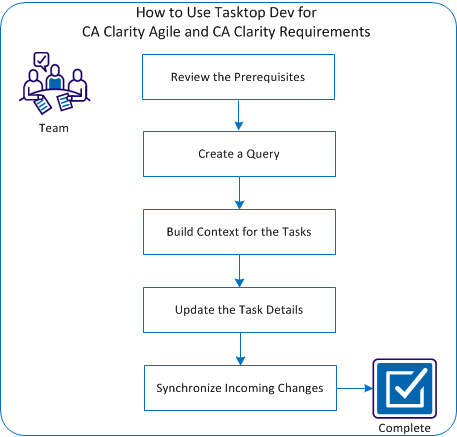
To use Tasktop Dev for CA Clarity Agile and CA Clarity Requirements integrated Eclipse IDE, perform these steps:
| Copyright © 2012 CA. All rights reserved. |
|