

|
|
|
A context provides an easy access to the relevant code for the task you are working on. When you search for the relevant code for the user story that you want to work on, the Package Explorer section displays the location of the code. This is called building context for the task. Each context is associated with a user story or requirement in the task list. The contexts make it easier to navigate to the identified code.
For example, Alice is working on the user story “I want to pay for parking pass by credit card”. She searches for the relevant code in the IDE. The Package Explorer displays the context to the selected code. Every time Alice returns to the IDE to work, she does not have to search for the code again. She can select the context to start working.
Follow these steps:
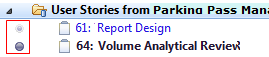
The Package Explorer builds the context.
| Copyright © 2012 CA. All rights reserved. |
|