

This scenario shows how a database administrator investigates and responds to an issue that appears in the Metrics panel.
The following diagram and text detail the steps the DBA takes to investigate the issue:
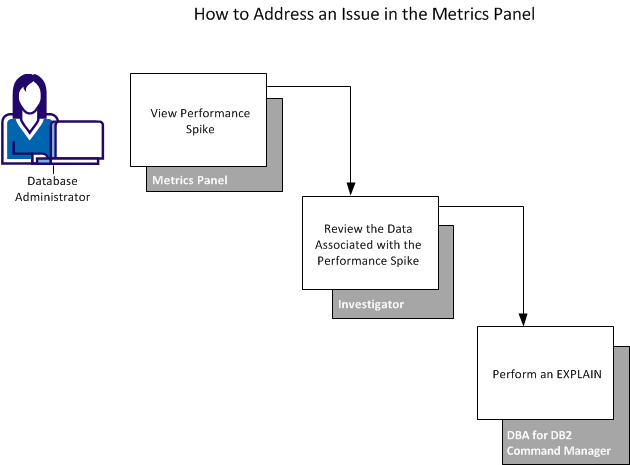
During regular morning tasks, the DBA notices a spike in the Metrics panel for the buffer pool critical threshold. When the number of active buffers reaches 95 percent, DB2 has reached the buffer pool critical threshold (data manager threshold). This event causes DB2 to use different, more CPU-intensive algorithms to manage the buffer pool to free or release pages as soon as possible. When this threshold is reached for one buffer pool, the immediate release of pages occurs in all buffer pools.
Based on the potential significant impact to performance, the DBA completes the following steps:
The spike indicates that the active buffers are at 98 percent.
The Investigator opens with the tree expanded to the area in question.
With this information, the DBA can continue troubleshooting efforts. This scenario shows one of the many ways that you can use CA Chorus tools to troubleshoot with this discipline.
|
Copyright © 2015 CA Technologies.
All rights reserved.
|
|