

As a system administrator, you are responsible for the maintenance of your CA Business Service Insight installation. Update CA Business Service Insight to implement the latest enhancements and fixes.
Use this scenario to guide you through the process:
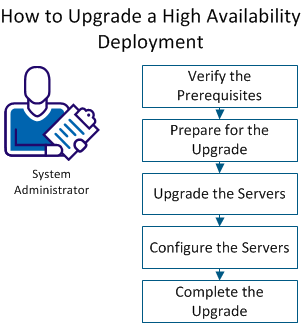
To ensure that you can complete the upgrade, verify the following prerequisites:
Note: If autoextend is on, the datafile maxsize is at least 15 percent more than the current size of the datafile.
To ensure a successful upgrade, perform the following tasks before you begin the upgrade.
Follow these steps:
Note: The use of a different language setting for the upgrade may cause errors.
Important! Do not stop the WWW service or the IIS Admin service.
Note: This service is required only for the upgrade.
Note: If the db owner account is not oblicore, update the .sql file to grant privileges to your db owner account.
To upgrade CA Business Service Insight, copy Cloud_Insight_Server_8.3.exe to each server, and perform the required upgrade tasks.
|
Copyright © 2014 CA.
All rights reserved.
|
|