

Now that the adapter has been configured, you need to deploy the adapter onto the Application server. Clicking on the “Start Adapter” button, causes the Adapter Deployment Service to deploy the adapter to the file system. This includes the following:
Once this has been done, your changes are reflected on the server.
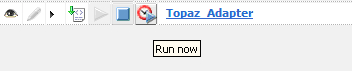
From here it is now possible run the adapter from the GUI, by clicking on the “Run Now” button which has become active. This causes the Adapter Deployment service to execute the adapter on the server and commence data collection.
Once the adapter has executed you should now be able to see the Pending Resources and Events under the Pending Translations section of the system.
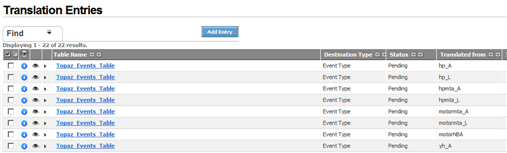
The Pending entries can then be Translated as per normal system configuration. Once Translation are completed the adapter should be run again in order to load the raw data into the system.
|
Copyright © 2013 CA.
All rights reserved.
|
|