

Configure the CA Process Automation content.
Follow these steps:
The AWS Operators content appears.
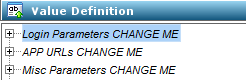
Specifies the CA Service Catalog administrator user ID.
Specifies the CA Service Catalog administrator password.
Specifies the CA Service Catalog business unit name. (This value is case-sensitive).
Specifies the management database administrator username.
Specifies the management database administrator password.
Specifies the CA Service Catalog URL.
Specifies the CA Process Automation URL.
Specifies the management database server name.
Specifies the management database port number.
Specifies the management database name.
Specifies the administrator email id.
Specifies the path of ASCUtil folder where the ASCUtil.jar is located.
Note: ASCUtil.jar is located in the ASCUtil folder. Copy the ASCUtil folder from the service cartridge bin folder and paste it in the computer on which CA Process Automation is installed.
Specifies the temporary directory location where the CA Process Automation is installed.
Specifies the value in percentage. When the usage exceeds this limit, an email is sent to the portal administrator.
Specifies the portal administrator email id.
The CA Process Automation content for the service cartridge is configured.
|
Copyright © 2013 CA.
All rights reserved.
|
|