

Troubleshooting › Operations › Example 2: Performance Problem with a Server
Example 2: Performance Problem with a Server
An end user from corporate headquarters reports they are experiencing a problem with a server.
Approach
Gather the problem information from the user and create a trouble ticket.
- Click the Operations page
- Scroll down to the middle of the page and review the Performance by Server view.
- Determine if the reported server has bubbled up in the list to the top. Typically it is among the top ten. If the server does not appear in the top ten, click Settings and select the server from the Server List.
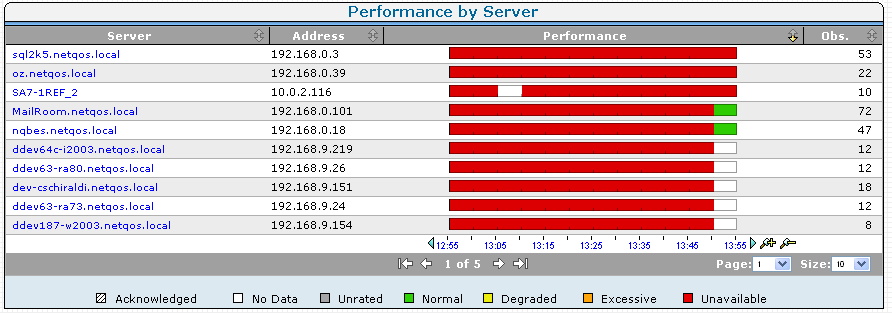
- Select the performance bar to the right of the server name to display a detail page.
- If network or application is known, select the appropriate performance bar to narrow the scope.
- In the Show Me menu, click History.
- Review the history of the server to identify and note any systematic patterns.
- In the Show Me menu, you can also click Performance, and Explore to begin troubleshooting. You can also do more exhaustive troubleshooting by clicking Links: Engineering at the top of the page to display the Response Time Component Delays page. Notice the selected server name and/or application or network name in the query selection box at the top of the page.
- Review the first view, the Response Time Composition: Average view, and pinpoint the time on the view where the issue is reported to have occurred. Identify which component is the most significant contributor at that point in time.
Copyright © 2015 CA Technologies.
All rights reserved.
|
|