

|
|
|
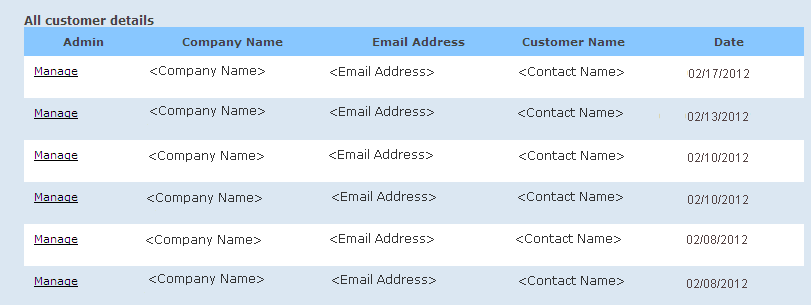
For the Partner role only, you can access the Customer menu to locate and manage an individual customer account. When you click Customers, the All customer details page opens, displaying a complete listing of all customers in your master account (sorted by the most recently added customers).
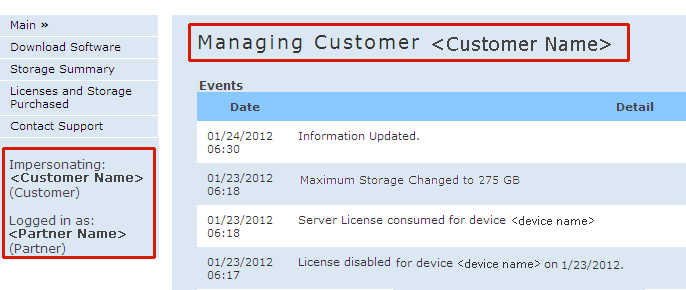
When you click Manage for a specific customer, a new window opens and you will now be impersonating that customer. All functions that are available for the Customer role will now be available to you. The home page will indicate which customer you are managing and impersonating.
Note: When a Partner manages and impersonates a Customer, this activity will be logged and displayed in the Events list so that the Customer knows that the Partner took control of that account.
| Copyright © 2012 CA. All rights reserved. | Tell Technical Publications how we can improve this information |