

Parameters define the values to be communicated between functions at execution time. How a parameter is used in the called function will depend on the type of the called function, the processing specified for that function, or both.
The next step is to define the parameters that will be passed to the message function by the calling program, Edit Horse. The objective is to include the dates that caused the error in the text of the error message.
Specifying a field as a parameter to a message does two things.
First, it makes the field available for use as a substitution variable in the message. In this case, the error message text will include the current values for Dam Date of birth and Date of birth.
Second, for input-capable fields, the field will be highlighted in reverse image on the panel if the error occurs. In this case, the Date of birth field would be highlighted.
Type P against the message function as shown to define its parameters.
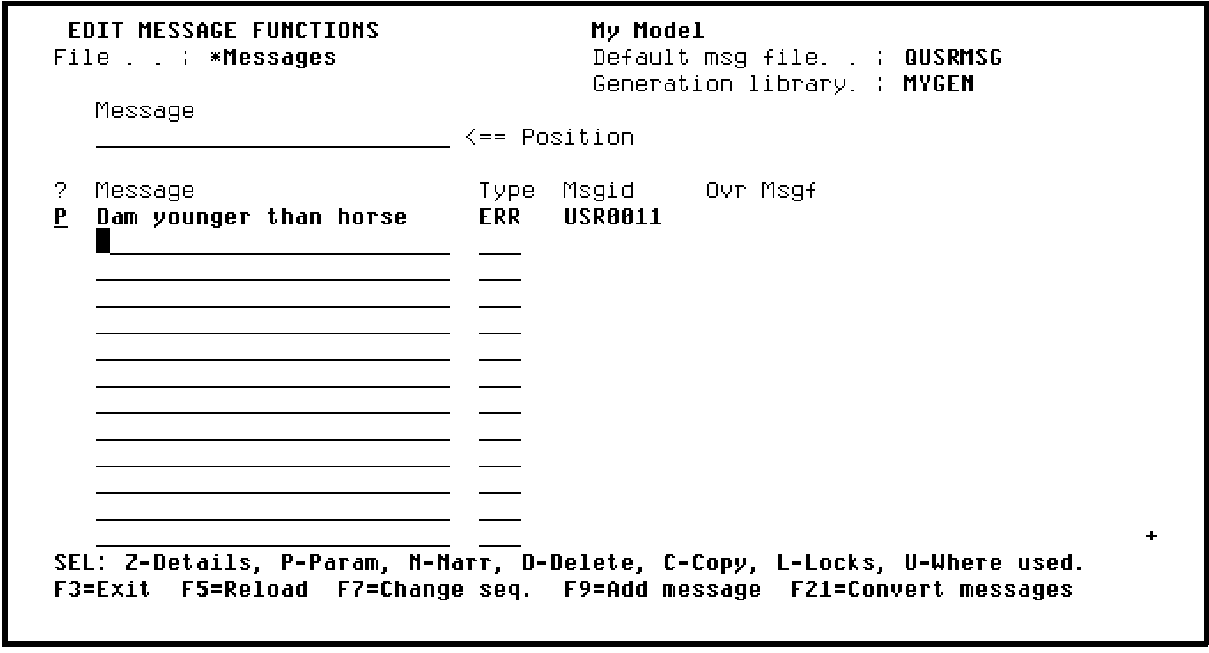
Press Enter to display the Edit Function Parameters panel.
|
Copyright © 2014 CA Technologies.
All rights reserved.
|
|