

This section shows how to specify the parameters that will be passed to the Display Racing results function.
From the Edit Functions panel, enter P to edit the parameters as shown in the following example:
EDIT FUNCTIONS My model
File name. . . . : Race Entry ** 2ND LEVEL **
? Function Function type Access path
Change Race Entry Change object Update index
Create Race Entry Create object Update index
Delete Race Entry Delete object Update index
P Display Racing results Display file Races for a Horse
More...
SEL: Z=Details P=Parms F=Action diagram S=Device D=Delete O=Open
C=Copy L=Locks U=Usages R=References N=Narrative .. Y=Y2CALL
F3=Exit F5=Reload F7=File details F9=Add functions F23=More options
F11=Next View F17=Services F21=Copy *Template function
Press Enter to display the Edit Function Parameters panel as shown in the following example:
EDIT FUNCTION PARAMETERS                         My model
 Function name. . : Display Racing results           Type : Display file
 Received by file : Race Entry                       Acpth: Races for a horse
                                                       Passed       Pgm   Par
 ?  File/*FIELD          Access path/Field/Array              Seq   Ctx   Ctx
    Race Entry           Races for a horse             KEY


                                                         |
                                                       Values
                                     FLD: One parameter per field
                                     RCD: One parameter for all fields
                                     KEY: One parameter for key fields only

 SEL: Z-Parameter details   X-Object details   D-Delete parameter   N-Narrative
 F3=Exit     F5=Reload   F22=File locks
Enter the details as shown in the following example. In other words, enter Race Entry as the file name, enter Races for a Horse as the access path, enter KEY as the Passed as value, and enter Z in the Subfile selector to select the key fields on the access path to be used as parameters.
 EDIT FUNCTION PARAMETERS                    My model
 Function name. . : Display Racing results      Type : Display file

Received by file : Race Entry                   Acpth: Races for a horse
                                                   Passed          Pgm  Par
  ?  File/*FIELD         Access path/Field/Array           Seq     Ctx  Ctx
  Z  Race Entry          Races for a horse          KEY


                                                      |
                                                    Values
                                  FLD: One parameter per field
                                  RCD: One parameter for all fields
                                  KEY: One parameter for key fields only

 SEL: Z-Parameter details   X-Object details   D-Delete parameter   N-Narrative
 F3=Exit     F5=Reload
Press Enter to display the Edit Function Parameter Details panel.
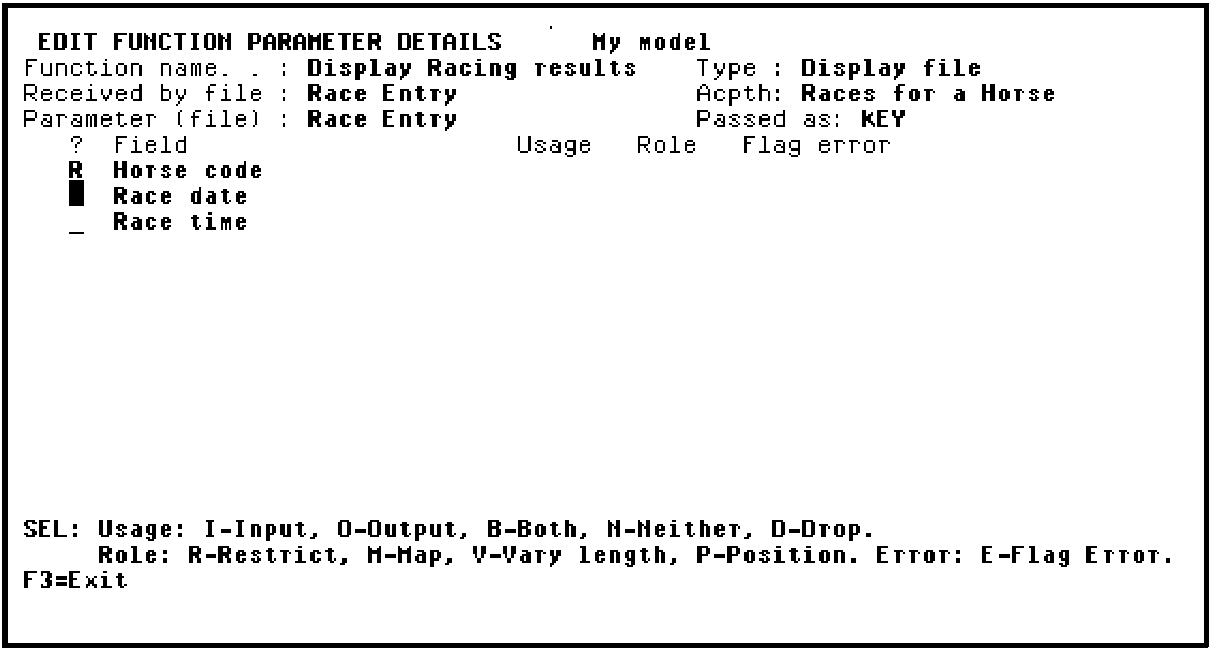
The Horse code from the selected subfile record is to be passed as an input parameter to the Display Racing results function and will be restricted to show only race entries for this horse. This is where you specify that Horse code is an input only, restrictor parameter.
Enter R against Horse code as shown in the following example:
Press Enter.
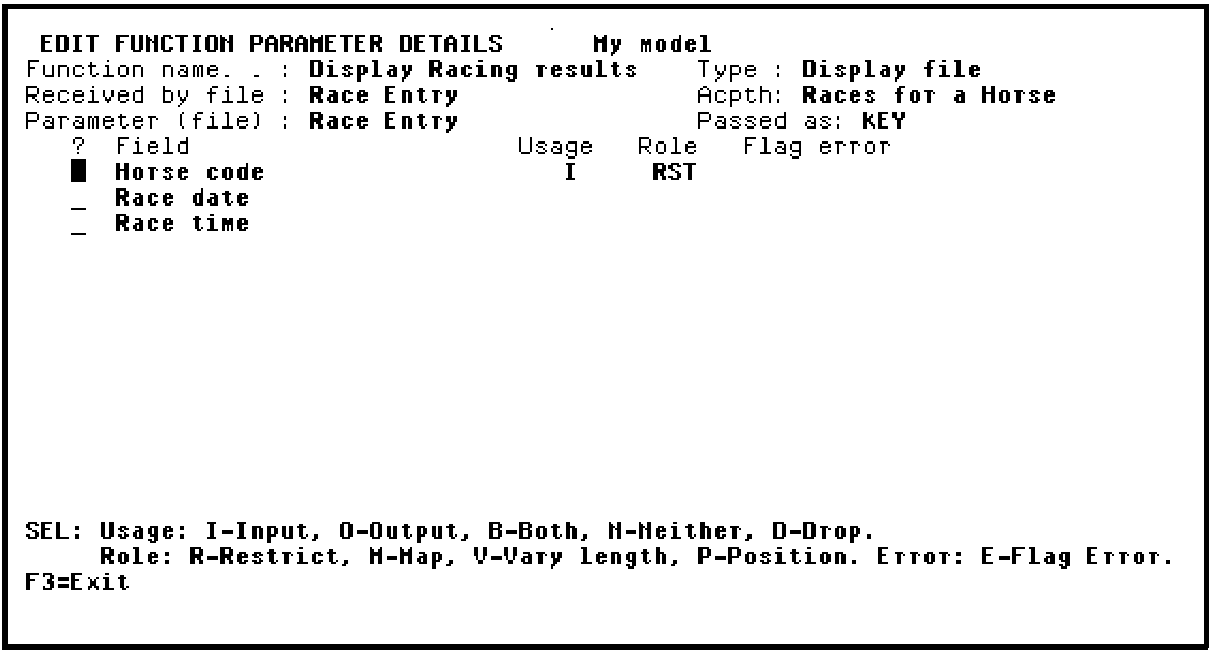
Note that the Usage for Horse code defaulted to I (Input only) and the parameter role changed to RST (restrictor).
|
Copyright © 2014 CA.
All rights reserved.
|
|