

|
|
|
The following actions are available for history records, depending on the status of each record:
Cancels a queued or active transfer.
Holds a queued transfer.
Releases a held transfer.
Suspends an active transfer.
Resumes a suspended transfer.
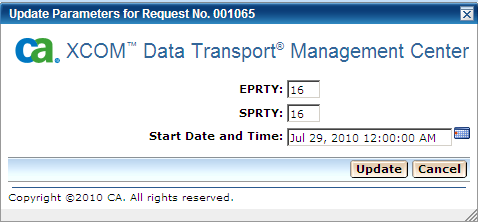
Changes execution priority, scheduling priority, or scheduled start date and time for a queued transfer.
When you click the Update action, a new window opens, with the current values for priorities and start date and time.
You can change the values and click the Update button to update the values, or click the Cancel button to cancel the process.
Removes a queued transfer from the queue.
| Copyright © 2011 CA. All rights reserved. | Tell Technical Publications how we can improve this information |