Using CA XCOM Management Center Through the Internet › Get History Records
Get History Records
The Get History Records tab allows users to get the history record information for a server.
To get history records for a server, click the Get History Records tab.
This tab displays the servers available to you, with the following information:
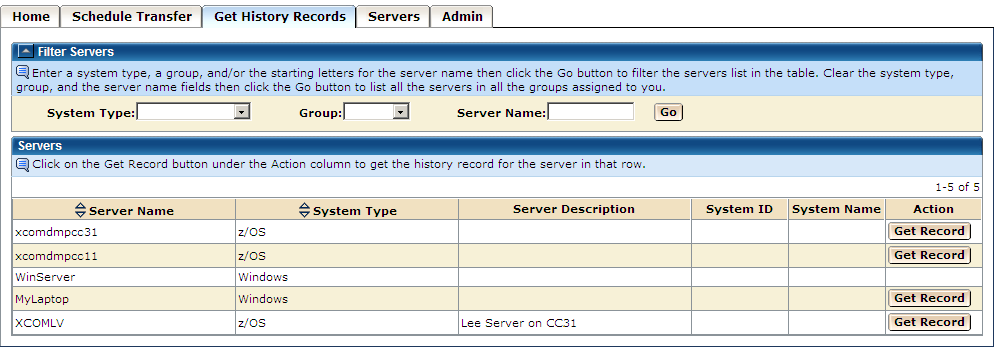
The Servers page has two sections.
- A collapsible Filter section, where you can specify search criteria to limit the server information in the next section.
- Server information section, which consists of a table. Each row of the table represents information about a server available to you.
Notes:
- If the number of available servers to be listed in the table is more than the number of rows/page specified on the Home page, then the Filter section is the only section displayed when you first get to this tab. You can then enter the filter criteria and display the server information section.
- If the number of available servers is less than the rows/page value, then the filter section is shown collapsed, followed by the table of available servers. You can use the arrow on the left corner of each section to expand and collapse the collapsible sections.

