

Schedule IDs are 1- to 3-digit numbers that are used to identify scheduling variations. These variations allow you to schedule the same job in different ways. Here is an example:
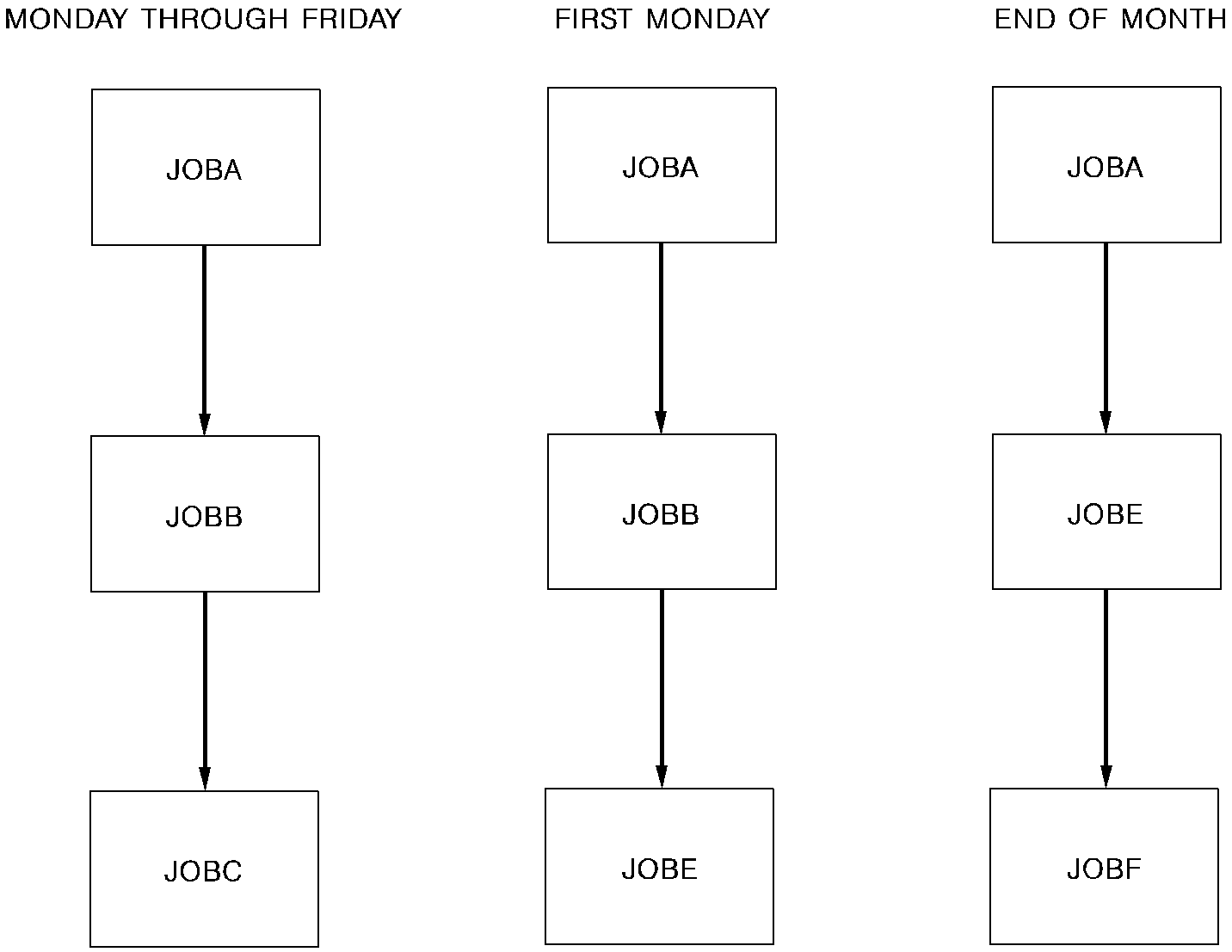
JOBA always uses the same JCL and has the same requirements, but it triggers different jobs depending on what day it is. To define each of these scheduling variations to CA Workload Automation SE, JOBA must be given three different schedule IDs:
Schedule IDs can also be used to allow other scheduling variations:
The same job can even be triggered under one schedule ID and calendar-scheduled under another schedule ID.
The schedule ID is defined in the SCHID field on the Job Schedule Parameter Edit screen when you schedule the job. It is then entered on the screens where you define triggers and requirements. It could also be included when you issue the DEMAND and RUN commands. If it is not, it defaults to the first schedule ID defined in the database. If no schedule has been defined for the job in the database, it defaults to 1.
|
Copyright © 2013 CA Technologies.
All rights reserved.
|
|