

As a scheduler, sometimes you want to update the properties of a virtual resource on all of the machines on which it is defined. For example, increasing the amount of a renewable resource enables jobs requiring the higher resource amount to run.
This scenario walks you through the process of updating the properties of a virtual resource across machines.
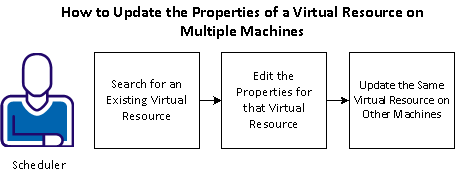
To update the properties for a virtual resource in on multiple machines, follow these steps:
Example: Update the Virtual Resources for Tape Drives
To handle the heavy dependencies on your tape drives, your company has now added an additional tape drive to each of the four computers in the machine pool. Therefore, you want to increase the amount for the renewable resource on each of the machines. To increase that amount, search for the virtual resource. On one of the machines found, increase the resource amount in the properties and commit the changes on that machine. After you modify the properties of the resource on one machine, you can update the properties of the same resource on the remaining machines.
|
Copyright © 2013 CA.
All rights reserved.
|
|