

User Interface Components › View Details Page › Flow › Layout Dialog
Layout Dialog
You can use the Layout dialog, opened from the Flow toolbar, to specify how you want your flow to be rendered on the page.
The following layout options are available:
- Horizontal/Orthogonal
-
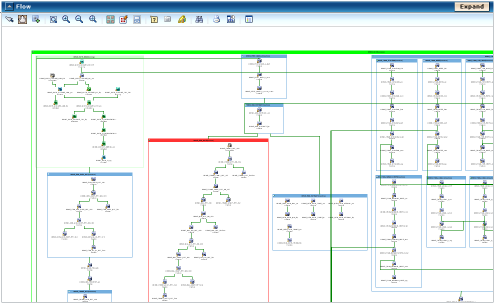
This layout has the following properties:
- Links between nodes are orthogonal and short.
- Connections between nodes and links are automatic (graphing engine chooses).
- Disconnected graphs are distributed as follows:
- The nodes are placed in the cells of a grid (matrix) that has a fixed maximum number of columns.
- This number is equal to the width of the layout region parameter divided by the horizontal grid offset.
- Horizontal/Poly-line
-
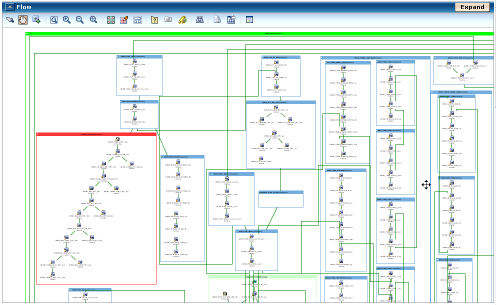
This layout has the following properties:
- Links between nodes are poly-line and long.
- Connections between nodes and links are automatic (graphing engine chooses).
- Disconnected graphs are distributed as follows:
- The nodes are placed in the cells of a grid (matrix) that has a fixed maximum number of rows.
- This number is equal to the height of the layout region parameter divided by the vertical grid offset.
- Vertical/Orthogonal
-
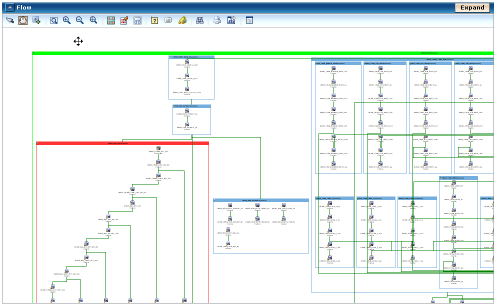
This layout has the following properties:
- Links between nodes are orthogonal and short.
- Connections between nodes and links are centered (the line starts from the center of a node).
- Disconnected graphs are distributed as follows:
- The nodes are placed in rows.
- The maximum width of the rows is equal to the width of the layout region parameter.
- The height of the row is the maximum height of the nodes contained in the row (plus margins).
- The maximum number of elements per row is 8.
- Vertical/Poly-line
-
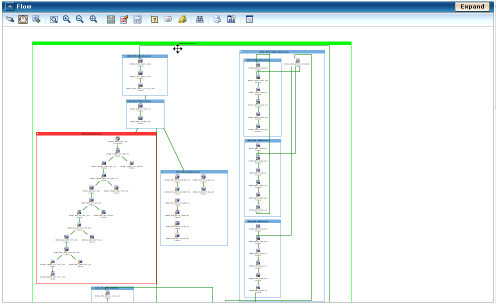
This layout has the following properties:
- Links between nodes are poly-line and long.
- Connections between nodes and links are automatic (graphing engine chooses).
- Disconnected graphs are distributed as follows::
- The nodes are placed in columns.
- The maximum height of the columns is equal to the height of the layout region parameter.
- The width of the column is the maximum width of the nodes contained in the column (plus margins).
- The maximum number of elements per column is 8.
More information:
Flow Toolbar
Copyright © 2013 CA.
All rights reserved.
|
|