

As a workload scheduler, you can copy existing views from one CA WCC server to other CA WCC servers. You can export the views on one server as a file, and then import that file on the other servers.
This scenario walks you through the process of exporting and importing views from one CA WCC server to another CA WCC server.
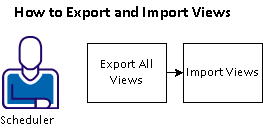
To export all views from one CA WCC server and import those views to another CA WCC server, follow these steps:
Example: Move Views from One CA WCC Server to Another CA WCC Server
Suppose that you created several views on the CA WCC test server and you want to put those views into production. You do not want to create the views manually. You can export these views to an output file and then use that file to import the views to your CA WCC production server.
|
Copyright © 2013 CA.
All rights reserved.
|
|