

The Peer-to-Peer Tasks object displays statistics for each Peer-to-Peer connection between this CA Vtape and its defined remotes. You can display the Peer-to-Peer Tasks object to view these Peer-to-Peer statistics. You can also perform Refresh actions using this object's Action options.
To display Peer-to-Peer remote statistics
CA Vtape objects are displayed in the Object Tree.
The table view of the Peer-to-Peer Tasks object appears, as shown in the following sample:
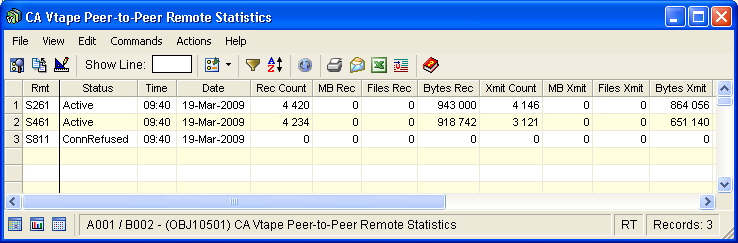
Note: Click the Help About Object tool bar icon ( ), to display a description of the field values displayed in the columns in the Peer-to-Peer Tasks object.
Peer-to-Peer Tasks Actions Menu
The following Refresh action is available from the Actions menu option located on the Peer-to-Peer Tasks object view Menu Bar:
Causes all of the Peer-to-Peer Remote options to be refreshed from the CA Vtape parmlib concatenation.
|
Copyright © 2013 CA Technologies.
All rights reserved.
|
|