

As a system programmer, your responsibilities include acquiring, installing, maintaining, deploying, and configuring CA Technologies mainframe products on your system.
CA CSM is an application that simplifies and unifies the management of your CA Technologies mainframe products on z/OS systems. As products adopt the CA CSM services, you can install your products in a common way according to industry best practices.
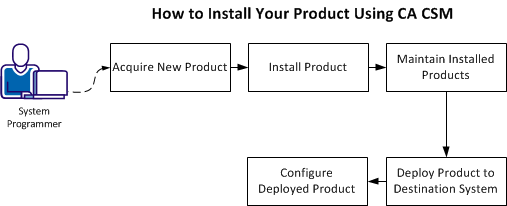
This scenario describes the steps for a system programmer to acquire, install, deploy, and configure products and maintenance. Not all tasks may apply to your organization. For example, you may decide not to deploy and configure products. In this case, do not perform the product deployment task and the product configuration task.
Before you use this scenario, you must have CA CSM installed at your site. If you do not have CA CSM installed, you can download it from the Download Center at http://ca.com/support. This web page also contains links to the complete documentation for CA CSM.
You access CA CSM from a web browser.
Note: This scenario applies to the latest version of CA CSM. If you are using an earlier version, see the appropriate bookshelf on the CA Chorus Software Manager product page.
This scenario is a high-level overview of steps that you perform using CA CSM. For more detailed information, use the online help that is included in CA CSM.
You perform the following tasks to install products and manage them on your system:
|
Copyright © 2015 CA Technologies.
All rights reserved.
|
|