

The security file contains all security-related information about users, profiles, departments, divisions, zones, and resources. In this scenario, you have created a mirror copy of your primary security file but subsequently encountered a problem with the primary file. This scenario shows how a security administrator switches to the mirror security file and runs the product with the mirror file as the primary file.
Note: Switching to the mirror security file does not require an IPL.
The following illustration shows how a security administrator runs the product with a mirror file as the primary security file:
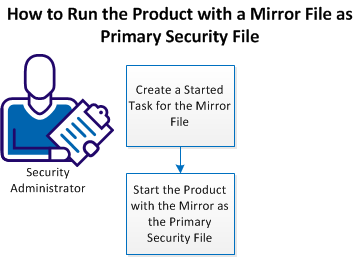
Perform the following tasks to run the product with a mirror file as the primary security file:
You must define a started task that initializes the product with the mirror security file.
Follow these steps:
TSSM is set up to run the product with the mirror security file in the place of the primary security files.
Note: The TSSM model allows for creating a second set of mirror files. The second set of files should be on a separate volume from the old mirror files. If you create a new set of mirror files, ensure that you reference the new files (through the SECMIRR and VSAMMIRR statements) and, if necessary, adjust the references to backup files (through the BACKUP and VSAMBKUP statements).
TSS ADD(STC) PROCNAME(TSSM) ACID(TSS)
Your new started task in now available. You can restart the product with this started task to use the mirror file as your primary security file.
|
Copyright © 2014 CA Technologies.
All rights reserved.
|
|