

|
|
|
The Graph View feature displays a selected set of data in a graph. The Windows Client offers a large variation of graph types to present your data in a variety of formats. Some of the available graph types are:
You can specify the graph type and its format to obtain the kind of display you prefer. You can preview the general look of a graph while defining its various features.
Note: To immediately view certain changes, you must click the Refresh icon  .
.
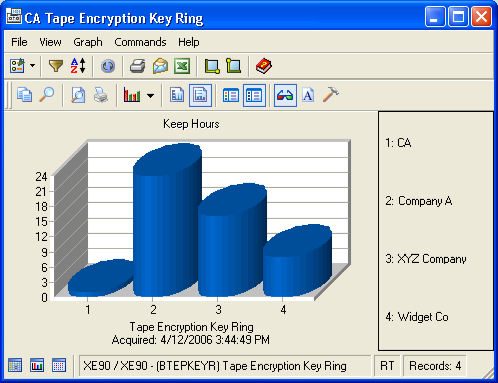
The following sample graph shows the Keep Hours for four CA Tape Encryption key rings. The legend on the right side of the graph maps the numbers on the X-axis to the full content of what the axis represents. In this case, the X-axis represents the Alias Name for each ring. This setup allows you to identify the bars in the graph without cluttering the data.
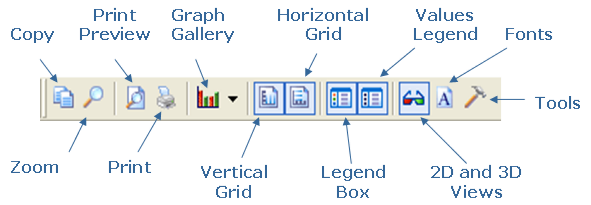
Graph View Dialog Toolbar Options
The Graph dialog toolbar provides you with these tools for working with graphs:
| Copyright © 2010 CA. All rights reserved. | Tell Technical Publications how we can improve this information |