

You must assign at least one proxy collector to each target computer. Use the Setting Collectors dialog to assign one or more proxy collectors to the target computer.
Note: You will see this dialog only if you have selected NFS in the Specify Indirect Collection.
The following shows the Setting Collectors dialog with six candidate collectors listed:
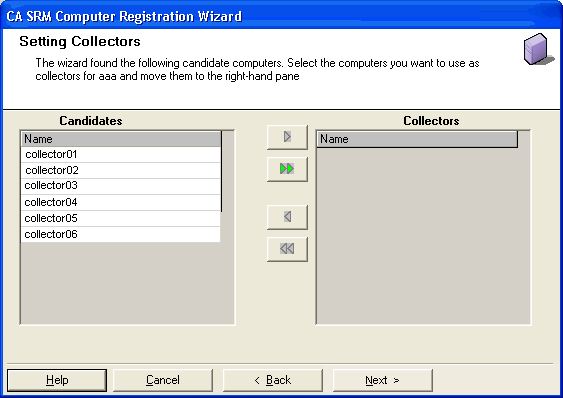
The Candidates table lists all the computers that are eligible to serve as proxy collectors for the target computer. To designate a computer as a proxy collector, highlight the computer in the Candidates table and click the right arrow  . The computer moves to the Collectors table.
To remove a computer from the Collectors table, highlight the computer in the Collectors table and click the left arrow  .
.
Note: If you chose a Solaris machine as the proxy collector, the volume size data is not available.
More than one managed computer can serve as a collector for the target computer.
When you finish, click Finish.
|
Copyright © 2016 CA Technologies.
All rights reserved.
|
|