

The EDL Assistant helps you to formulate EDL conditional statements for class definitions and filter definitions, and to supply sources. To start the EDL Assistant, follow these steps:
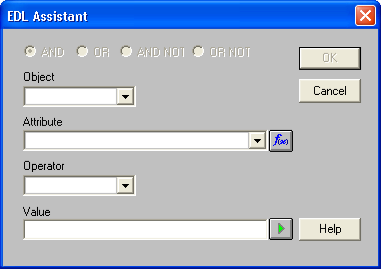
The list contains the object you selected in the EDL Editor and related objects that are valid as conditions to the object selected in the EDL Editor.
The Attribute drop-down list shows the attributes appropriate for the selected object. You can specify an aggregate function for this attribute by clicking Aggregate (to the right of the Attribute drop-down list).
When the EDL Assistant dialog closes, your definition appears in the Expression text box of the EDL Editor.
You can use the EDL Assistant to define several conditions and connect them by means of AND, OR, AND NOT, and OR NOT logical operators.
|
Copyright © 2016 CA Technologies.
All rights reserved.
|
|