

You can perform an interactive backup from a Query Result table or a Volumes table if the field Full Name appears in the table. To perform the backup, select the files or volumes you want to backup and then select Backup from the Action menu. The Backup Server dialog opens:
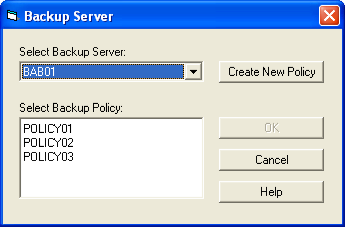
This dialog lets you select the server on which you want to perform the backup and the backup policy that you want to apply. You can also create a new policy and save it to the CA ARCserve Backup database. For more information about creating a new policy, see Creating a New Policy Definition in this chapter.
|
Copyright © 2016 CA Technologies.
All rights reserved.
|
|