

To register an LDAP server follow steps:
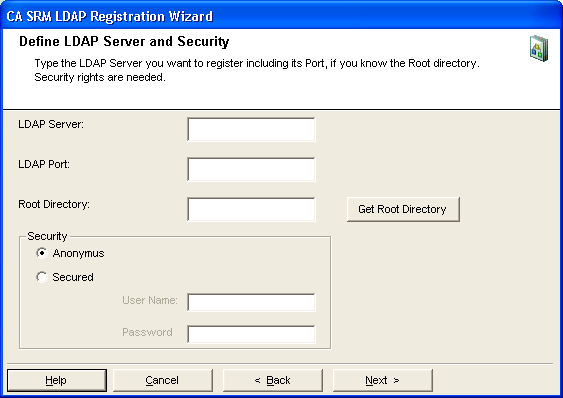
Click Get Root Directory to retrieve all root directories from the LDAP server and populate it as a drop-down list. Selecting * indicates the data collection from all LDAP directories.
Then select either an Anonymous or Secured connection.
If you select Anonymous, CA SRM only collects information (location, organization, and contact) from computers that you configured to be collected by the anonymous user in the LDAP Server.
If you select Secured, then enter the user name and password. The user name needs to be a distinguished name with this format:
cn=user,ou=people,o=country
If you do not have sufficient privileges to collect data for the root directory selected, you cannot collect any information from LDAP:
Choose the frequency with which you want to update the LDAP data:
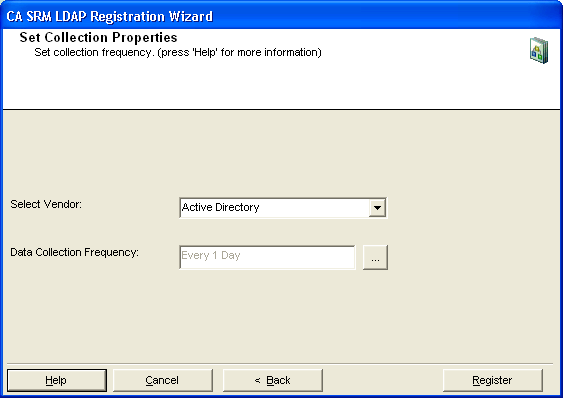
Note: In order to collect location and organization information from the LDAP server itself, the server must be registered as a managed computer. CA SRM only collects location and organization information from managed computers.
|
Copyright © 2016 CA Technologies.
All rights reserved.
|
|