

Configuring and Maintaining CA SRM Web Reporter › CA SRM Web Reporter Control Panel Settings › Set the WRDB Status Refresh Interval
Set the WRDB Status Refresh Interval
From the Web Reporter Control Panel you can set the WRBD status refresh interval. The default setting is to refresh every 30 minutes, but you can adjust that as necessary.
To set the WRDB status refresh interval
- Open the CA SRM Web Reporter Control Panel.
- Click File, Settings.
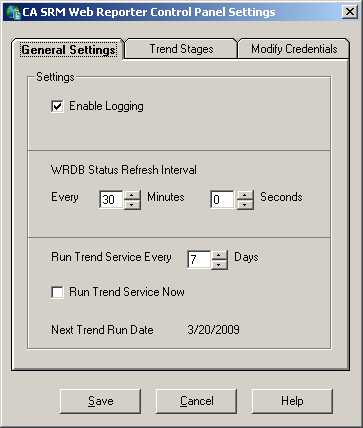
- Specify the WRDB Status Refresh Interval in minutes and seconds.
- Click Save.
The new setting takes effect immediately.
Copyright © 2013 CA.
All rights reserved.
|
|