

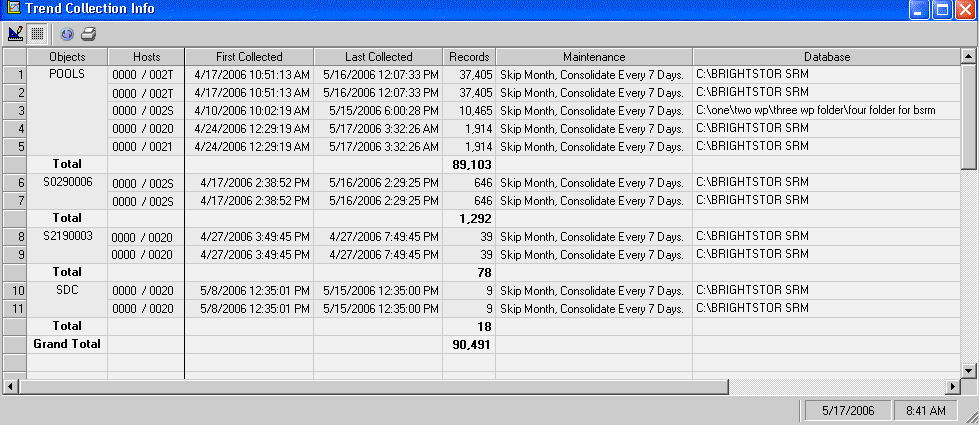
This z/OS menu item summarizes the log information from the host that has been collected and stored in the trend data base. The summary displays each object and host from which log data has been retrieved, the first date and time on which data was retrieved from that host, the most recent date and time of retrieval, and the number of log records retrieved.
The following example shows that trend log records have been retrieved for object POOLS from host zOSHOST01, and object POOLVOLS from host zOSHOST02.
Collecting and summarizing trend data consists of two stages:
After information is collected in the Windows Client data base, it can use it to graph the historical trend for each object for which it has data. To see the historical trend for an object, request the object, and then switch to its Trend Report View (instead of the Table, Graph, or List View of the object).
Note: For more information regarding how to create and output trend collection information, maintenance policy (scheduling of collecting trend data in a local database), and so on, see the chapter "Working With Trend Collection“ in the CA Vantage SRM User Guide.
|
Copyright © 2013 CA.
All rights reserved.
|
|