

Use the Titles tab to change the chart title, and the primary and secondary Y‑axis titles. The following example shows you the Titles tab:
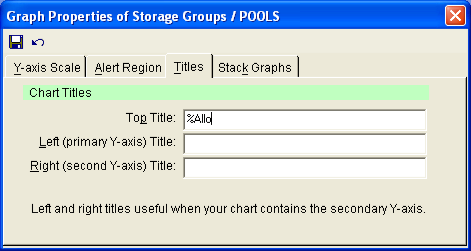
The following options are available on the Titles Tab:
Enter a name for the table.
Enter a label representing the data provided, such as a time stamp, or type of measurement.
Enter an additional label representing the data provided.
|
Copyright © 2013 CA.
All rights reserved.
|
|