

The expandable and collapsible Object Tree lists all the objects for each host to which the Windows Client is connected. Objects represent physical and conceptual components associated with one or more z/OS hosts or a single Open Systems Application Server.
Physical components include disks, computers, file servers, security domains, and so on. Conceptual components include applications and domains.
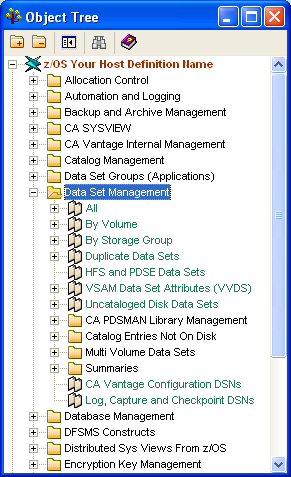
Object Tree categories are represented by folders. The folders contain common types of objects. Source Object titles display in green font and can have subdirectories containing User Views (factory supplied and user created), Summary Objects, and Joined Objects. All User Views titles display in blue font. Joined Objects and Summary Objects titles display in green font. The following example shows you a sample z/OS Object Tree with the Data Set Management folder expanded:
|
Copyright © 2013 CA.
All rights reserved.
|
|