Previous Topic: Solutions ViewNext Topic: Customizing Solutions


Selecting Solutions

You can select a solution for viewing and customizing.

To select a Solution

  1. Click the Solutions icon on the main menu toolbar.

    The Customize option along with a list of existing Solutions is displayed as shown in the following sample:
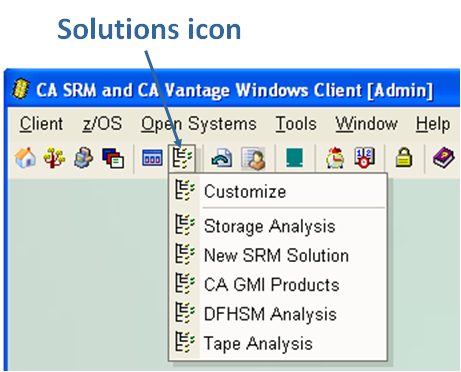
    This illustration is a screen shot example of the Solutions icon and drop-down menu.

  2. Click the Solution you want to view.

    The Solution selected is displayed. In the following example we have selected the Solution titled "New SRM Solution":
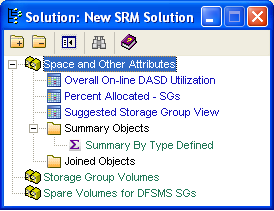
    This illustration is a screen shot example of the New SRM Solution dialog.

The Solutions view toolbar provides you with these options:
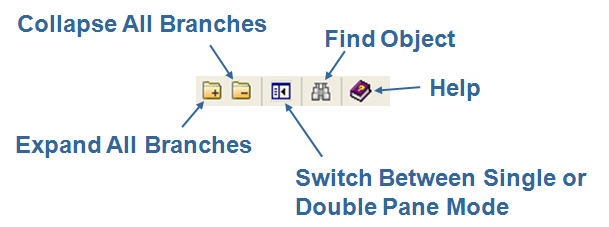
This illustration is a screen shot example of the Solutions Customize toolbar, showing the icons and their titles.