

Storage objects represent physical and conceptual components associated with one or more z/OS or Open Systems hosts. Each z/OS host must be running CA Vantage SRM. Each Open Systems host must be running CA SRM Application Server.
You can define and list several z/OS hosts and Open Systems Applications Servers in the Host List. You can connect to:
If you have defined only one host, the Windows Client automatically connects to it when you log in. If you define more than one host, you can manually connect to the host you want to access after you activate the Windows Client, or you can customize the Windows Client to automatically connect to one or more of the specified hosts.
To customize the Windows Client to automatically connect to one or more specified hosts
The Windows Client Options wizard is displayed.
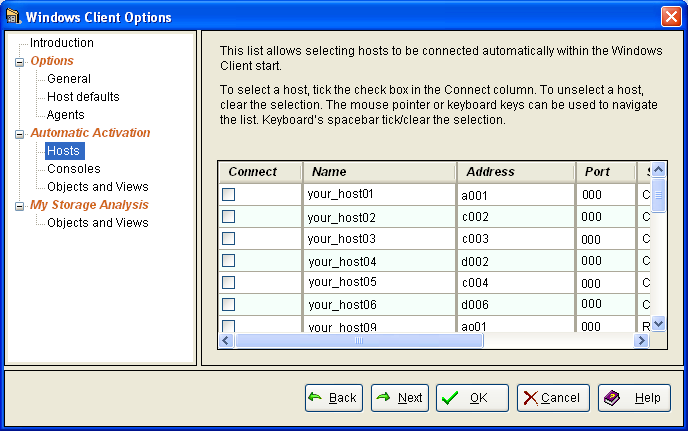
Note: Uncheck a host if you want do not want the system to automatically connect to it when you startup the Windows Client.
|
Copyright © 2013 CA.
All rights reserved.
|
|