

CA SOI does not fully support a multi-tenant architecture using one installation. However, you can deploy the product in a way that supports multiple tenants through user groups or a tiered deployment.
You configure the product for use by multiple tenants with user groups as follows:
The following graphic shows how tenant resources are separated through user groups:
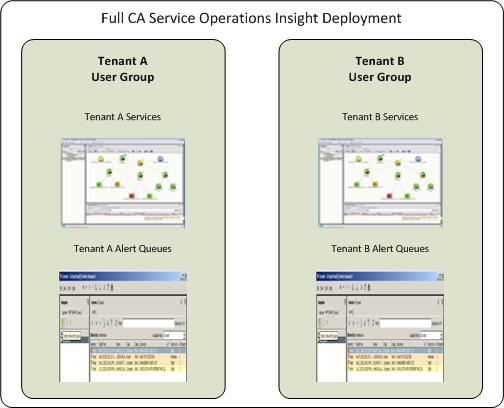
Each user group only has access to its services and alert queues. In this scenario, users in the Administrators user group can access all resources.
Note: For more information about creating user groups and assigning access privileges for services and alert queues, see the Administration Guide.
Another option for supporting multiple tenants is a tiered SA Manager deployment, which creates a physical separation of resources across SA Managers. In this scenario, each tenant's resources resides on a separate lower-tier SA Manager. The Enterprise SA Manager provides a consolidated view spanning multiple tenants to support unified operations by an administrator.
|
Copyright © 2013 CA.
All rights reserved.
|
|