

Installation › How to Deploy a Tiered SA Manager Environment
How to Deploy a Tiered SA Manager Environment
As an administrator, you can deploy a tiered SA Manager that consists of multiple source SA Manager tiers reporting to an Enterprise SA Manager through the CA SOI Domain connectors. You can tier your CA SOI environment in the following situations:
- You want to provide a multi-tenant environment with a physical separation of resources.
- You want to structure your enterprise by region, location, or department.
The CA SOI Domain connectors provide the following information from a local source SA Manager to the remote Enterprise SA Manager:
- Service CIs and their associated metrics like health, severity, or impact
- Service alerts associated with the imported service CIs that include the quality and risk information
- Changes to services and their alerts, including additions, updates, state changes, and deletions
- Customer information that is associated with services
You can control the services that appear in the Enterprise SA Manager.
Use this scenario to guide you through the process:
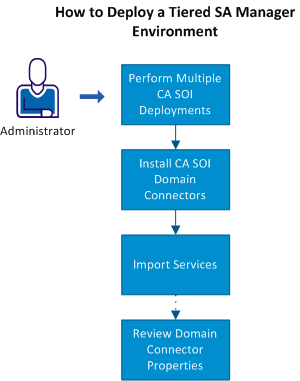
- Perform multiple CA SOI deployments.
- Install a CA SOI Domain connector on each Enterprise Domain Manager or multiple CA SOI Domain connectors on the Enterprise SA Manager, which point to different Enterprise Domain Managers.
- Import the services into the Enterprise SA Manager.
- (Optional) Review the CA SOI Domain connector properties.
Copyright © 2013 CA.
All rights reserved.
|
|