Previous Topic: Encrypt Passwords in CA Catalyst Components Using the Encrypter UtilityNext Topic: Change the Administrator Password in all CA Catalyst Files


How to Change the Administrator Password

As an administrator, you can change the administrator password after installation for security.

Use this scenario to guide you through the process:
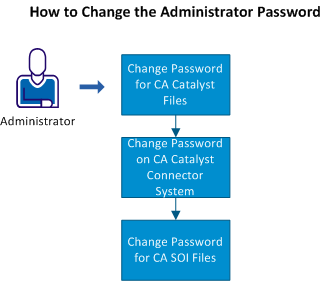
This illustration shows the steps that you can follow to change the administrator password.

Note: All these procedures assume that the administrator password was changed in CA EEM.

  1. Change the administrator password in all CA Catalyst files.
  2. Change the administrator password on the CA Catalyst connector system.
  3. Change the administrator password in all CA SOI files.

Change the password in all locations for the product to work. Keep in mind the password character restrictions to avoid changing to an invalid password.